01
Recurring Classes and Appointments
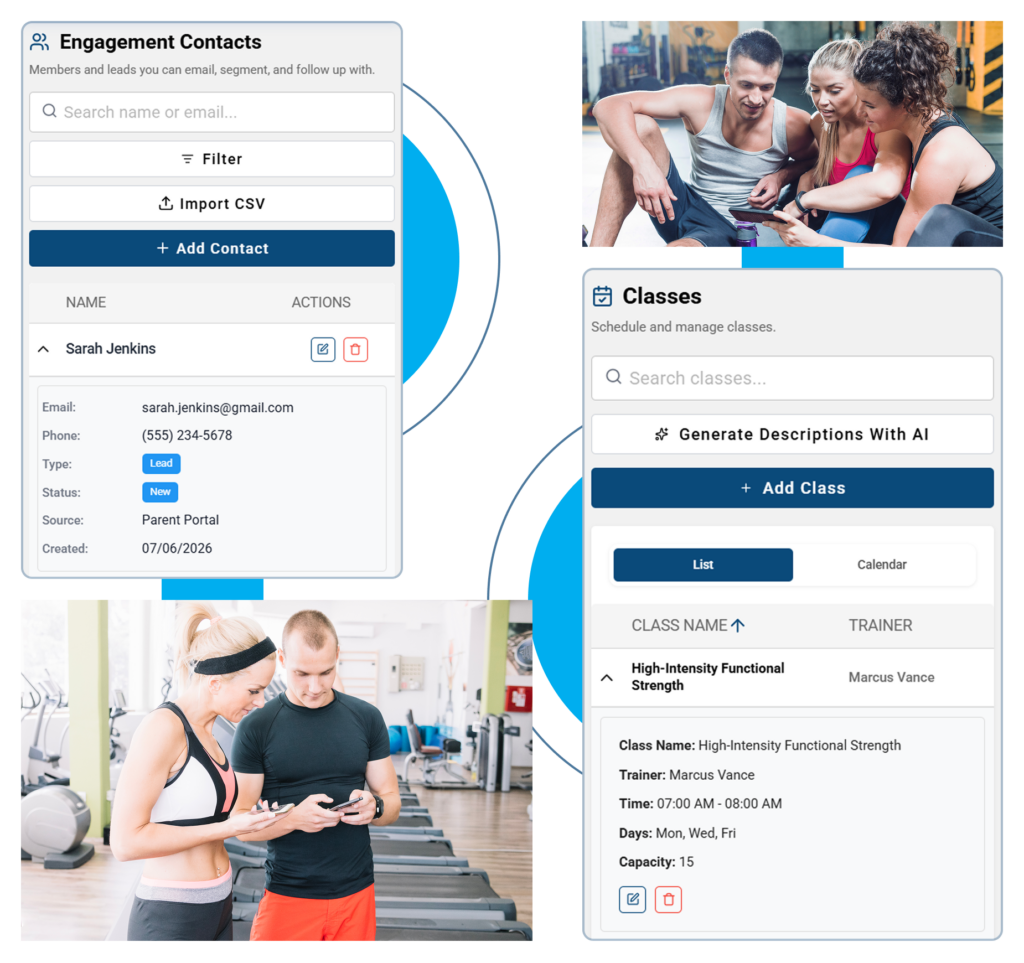
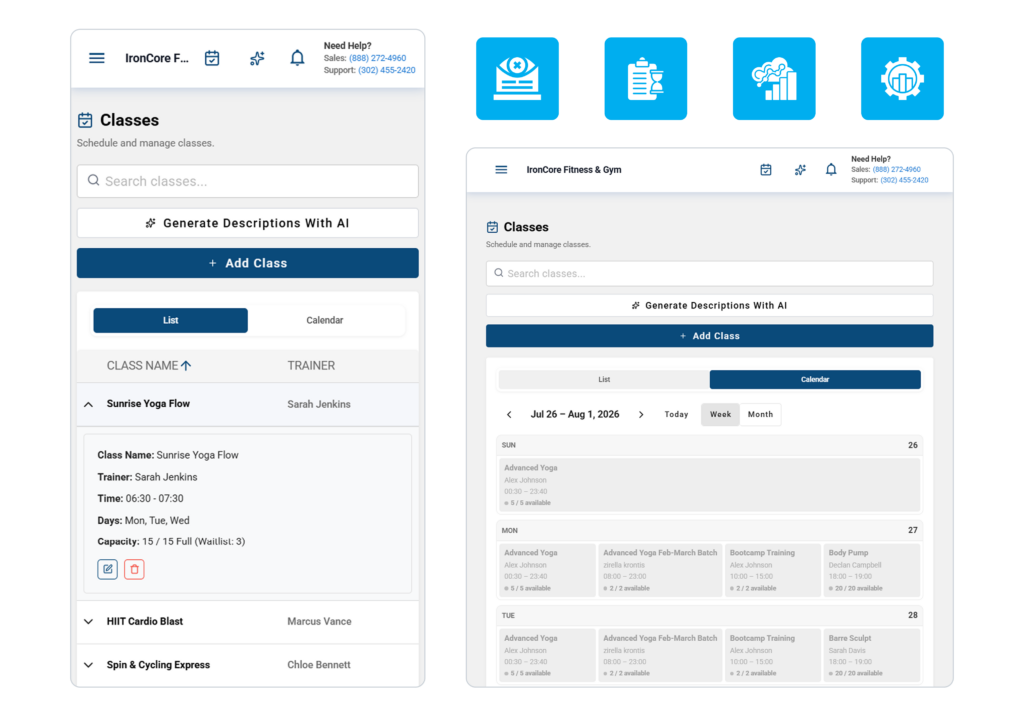
Build a term’s worth of schedule in one pass. Room and instructor calendars stay in sync, capacity limits are enforced, and blackout dates apply across the board.

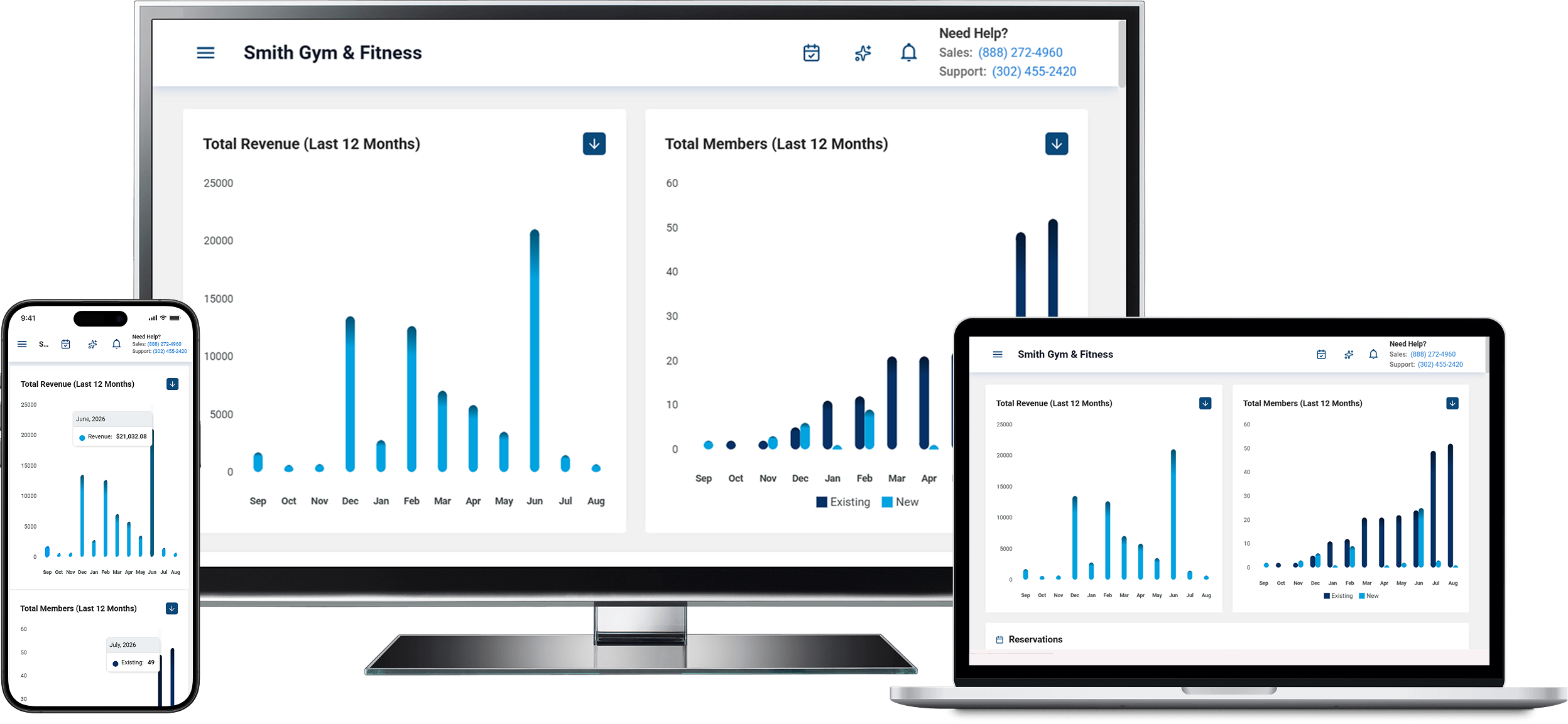
Publishing a schedule is the easy part. The hard part is the Tuesday 6pm class with four people signed up, two of whom will not show, and a waitlist of six who never hear about it. Cloud Studio Manager closes that gap on its own.
Build a term’s worth of schedule in one pass. Room and instructor calendars stay in sync, capacity limits are enforced, and blackout dates apply across the board.
A cancellation opens a spot, you promote the next person in line with one tap, and the text goes out from your studio’s dedicated number.
Members whose attendance is slipping get a prompt before the habit breaks, rather than a win-back email three months later.
Set open days and hours per day of the week for the studio, for each space or room, and for each individual service.
Text sent from (302) ••• ••••: “A spot opened in Power Vinyasa tonight at 6:00 PM — you’re in. Reply CANCEL to release it.”
Studio hours set the outer boundary, a space narrows within them, and a service narrows within that, so what a member can book is always the overlap. A Thursday that runs late is a two-field change, and on a day you are closed the booking page says so.
Guests can book without creating an account, and walk-ins can join the queue from their phone at the door.
See Scheduling in the DemoMost studios have families on the roster and no clean way to handle them. The parent’s card is on file under a child’s name, or under three children’s names, and nobody can say which sibling the June charge belonged to.
Family and dependent accounts fix the shape of the problem. A guardian owns the account and payment method. Each dependent has their own profile, class history, attendance record and progress. The guardian books for any of them, sees everything in one household view, and receives one bill. When circumstances change, billing ownership transfers cleanly without rebuilding a profile or re-entering a card.
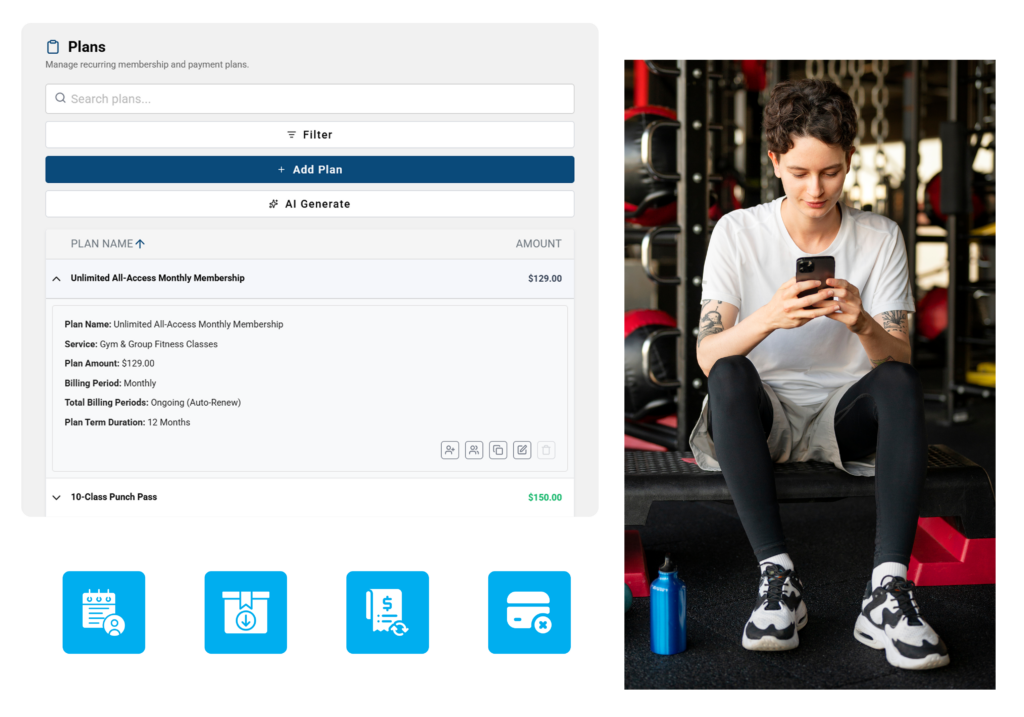
Members upgrade, downgrade, freeze for a month, come back in August, and buy a ten-class pack on top of an unlimited plan.
Sell monthly and annual memberships, class packs and drop-ins from one place, with auto-renew, pauses, expiries and clear status on every record. Recurring billing dates advance on their own as charges process, and failed payments surface in a queue with the reason attached instead of quietly lapsing. A plan’s early cancellation terms, whether a percentage of the remaining balance, a fixed amount or none, show on the Plan Details page rather than inside an edit screen.
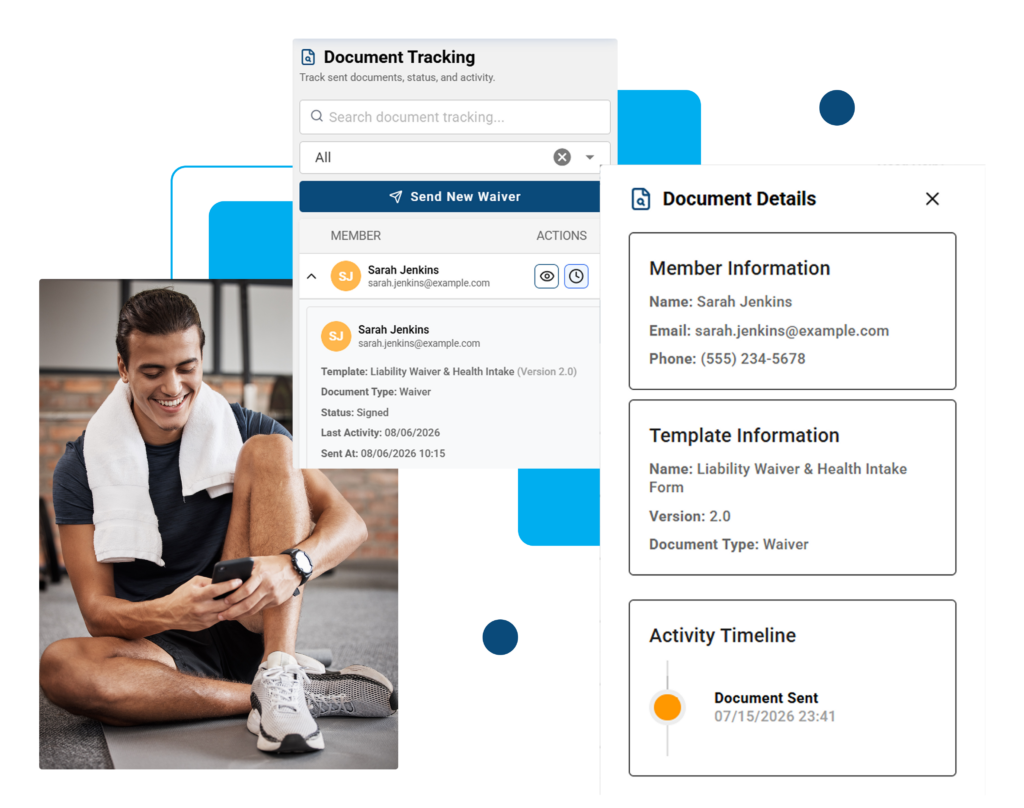
Send an intake form or waiver as a public link. The client signs on their phone, and the completed document lands on their profile with consent and signature stored.
Front desk detail that matters more than it sounds: every member carries a member number in the format your studio already uses, assignable in bulk on import, and search resolves a partial name or a phone number without a full record lookup.
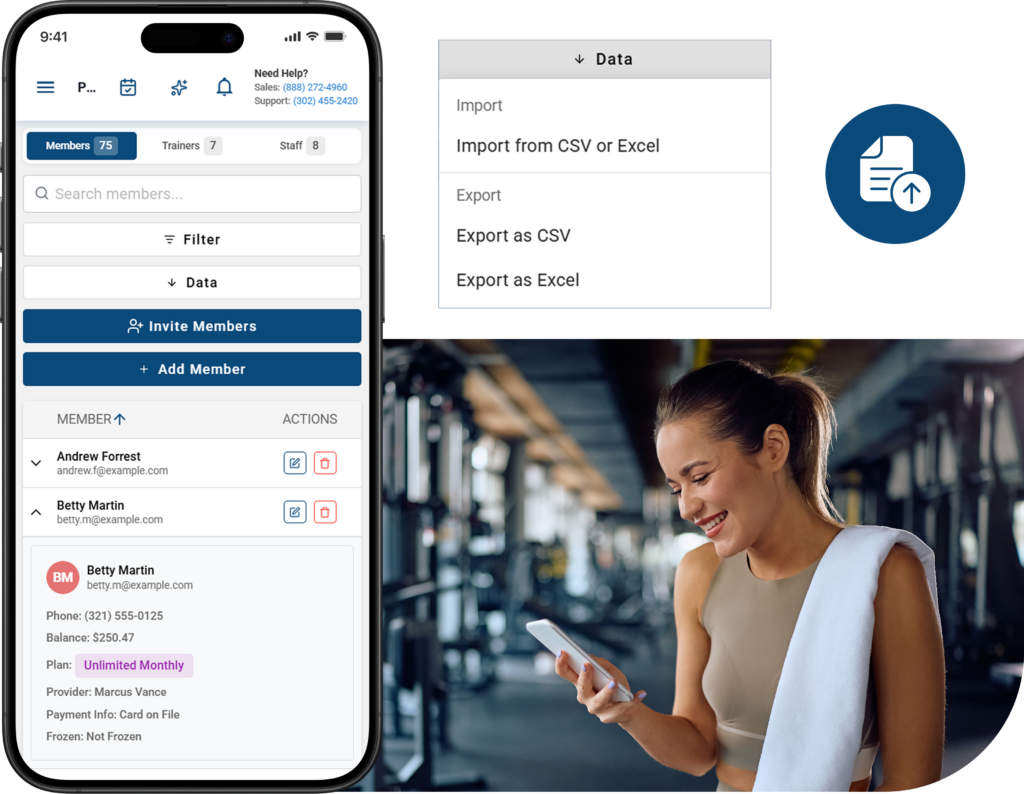
Import services and inventory from a CSV or Excel file, straight from the list view. Pick a file and the importer matches your columns to the right fields, shows a preview of what it is about to create, and flags anything that looks off before a single record is written.
Studios running belts, levels or graded skill programs can build their own rank system and track each student’s progress from a dedicated dashboard panel. It is off unless you turn it on, and invisible when off.
Members log lifts, times and benchmarks in the app, and published workouts appear on the leaderboard the moment they go live. Ranking is correct for every scoring type: AMRAP breaks ties by rounds and then reps, EMOM ranks numerically, and For Time carries a clear “Fastest Wins” label. Like rank progression, it is off unless you turn it on.
| 1 | Jules P. | 8:42 |
| 2 | Andre M. | 9:05 |
| 3 | Sofia R. | 9:31 |
Protect studio operations without adding friction for the people who need access.
Plans charge on schedule, billing dates advance automatically, and failures route to a recovery queue.
Sell attire, equipment and add-ons. Open tabs, split payments, tips, and every sale tied to a member profile.
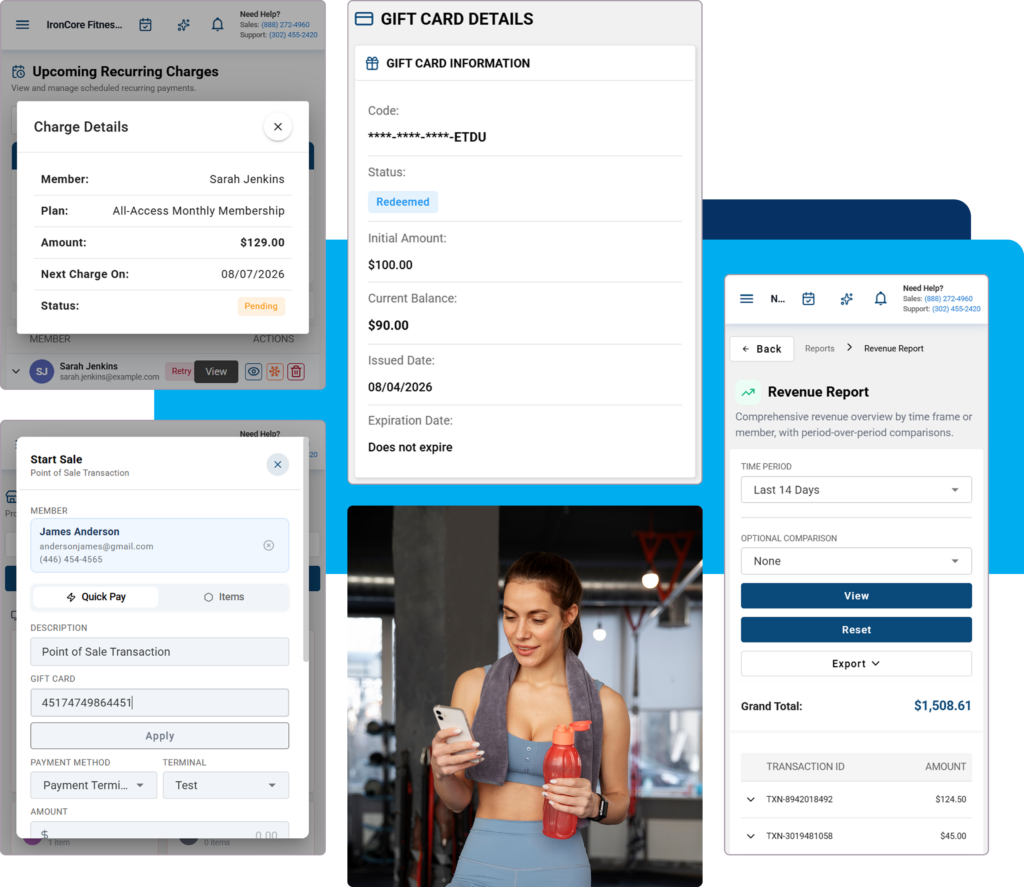
Live running balances, transaction history, refunds and mixed payments, plus a one-page certificate with QR code.
Revenue by source, payment health, failed versus recovered. Revenue totals count settled, live transactions only, and any view exports in one click.
Segment by membership status, demographics, birthdays and reservation history. Suppressed contacts are removed before the preview count.
Use the block editor, import a Mailchimp campaign or have AI draft email and SMS copy from a one-line brief.
Email runs through verified infrastructure. Texts come from your dedicated number with carrier registration handled for you.
Campaign analytics report complete totals across every send, matching the numbers your provider recorded.
AI draft (SMS): “Happy birthday from Studio Grove! Your next class is on us this month — book from the app whenever you’re free.”
Booking confirmations, appointment reminders, renewal notices and mobile push notifications run through the same automation engine, and every message is logged on the member’s profile. When a rule shows errors, the error count links straight to that rule’s execution history, the log filters by rule, and a step that asks for information its trigger cannot supply is caught the moment you save it.
Ten AI capabilities are built in. None of them send anything to a member without a person approving it first. They turn gut-feel judgment calls, who is drifting, which class will run half empty, what to offer, into a number and a reason.
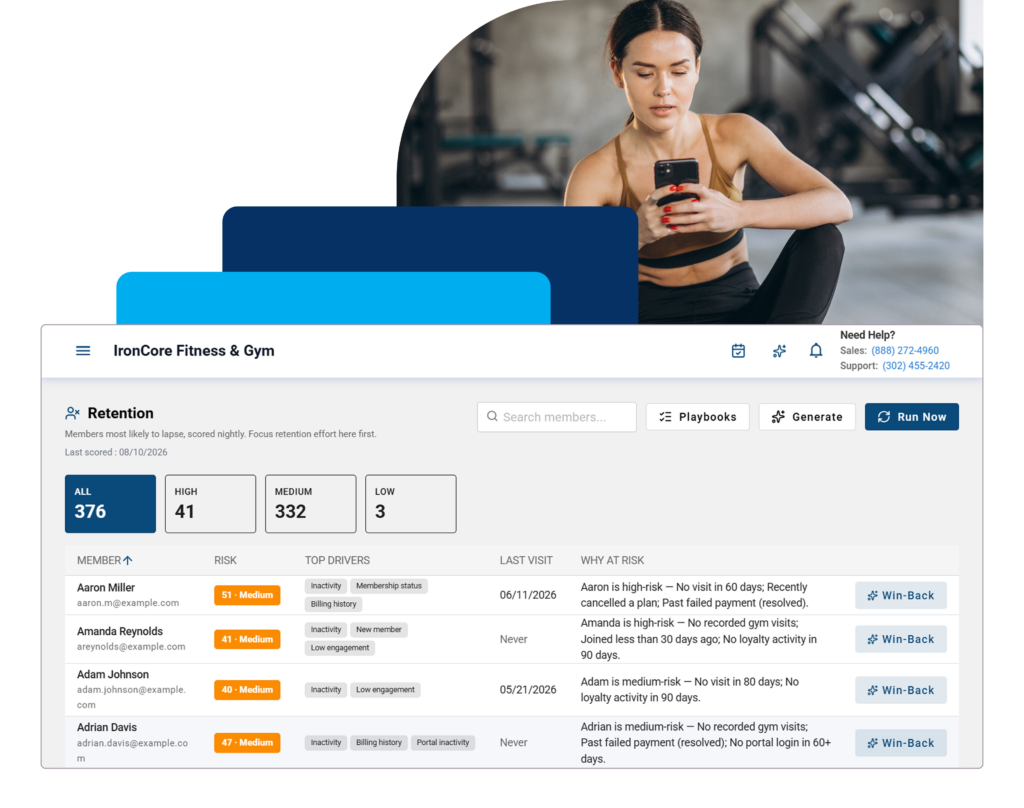
Churn-risk scoring reads attendance patterns, engagement and payment history, then bands every member by risk with the specific drivers named: three weeks since last visit, a failed payment, a membership flagged at-risk. Win-back recommendations turn each of those into a next action matched to the cause. A failed payment routes to a staff call, not a discount email. Inactivity gets a free session at high risk and a check-in message at medium. Offer size and urgency scale with the risk band.
Everything is staged. You see the member, the channel, the offer and the amount before anything commits, and you approve or edit each one. Accepted recommendations become real artifacts through the automation engine: an email, a text, a staff task, or an account credit. Staff-only notes stay on the staff side and never travel into a member-facing message. Dismissals are logged with a reason so the same member does not resurface unexplained next week. Reusable playbooks let you save a sequence that works and enroll members into it.
No-show prediction scores upcoming classes ahead of each session, with the contributing factors shown — attendance history, lead time, time of day, how long the member has been with you. Smart waitlist fill compares predicted attendance against capacity and promotes from the waitlist before the room is short, using the same eligibility rules and promotion events as a manual promotion.
Alongside it, demand forecasting recommends what to schedule, when and at what capacity. Space utilization analytics surface your genuinely dead hours and your real peaks, flag double-bookings and capacity mismatches, and let you preview a schedule change before committing it. The change is re-validated against live data on the way in, so a conflict cannot slip through the preview.
“Anything open in Thursday evening yoga?” The conversational assistant checks real availability across your spaces, confirms the member is eligible, and completes the booking. It confirms before it commits, and it holds context across a multi-message conversation rather than losing the thread.
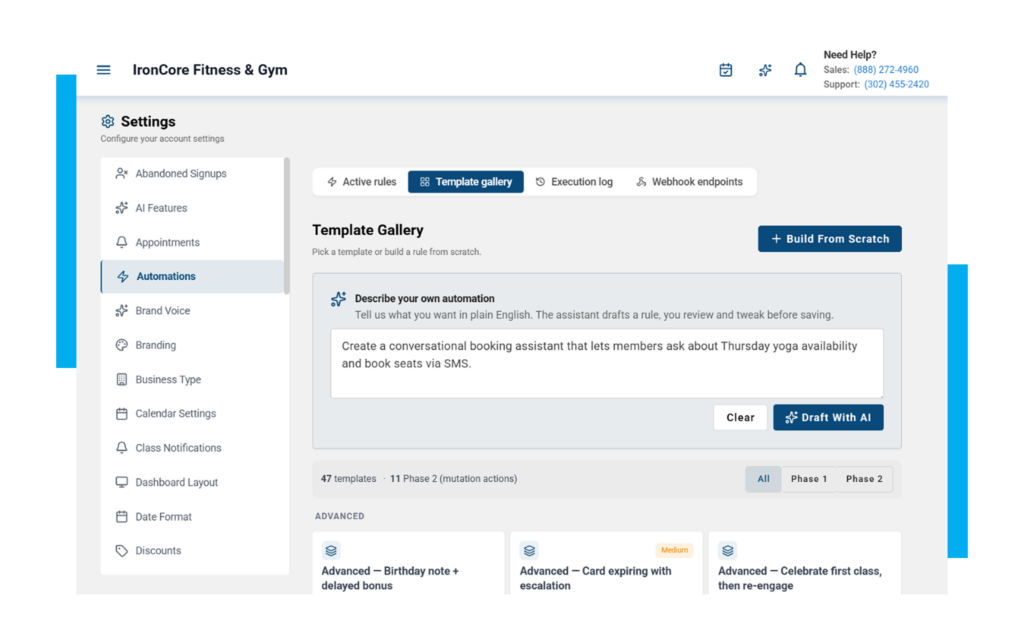
Every capability has its own toggle at Settings → AI Features, per studio. When a capability is off, the endpoint is closed—not just the button hidden. Nothing scores, nothing computes and staff see a clean disabled state. Usage is metered, rate-limited and capped daily. Member data is scoped to your studio and scrubbed before it reaches a model, and no AI feature can invent a price, plan or product.
Filter by date, class, service, instructor or channel, then export the view you are looking at to CSV, Excel or PDF in one click. Choose US dollars or euros once in Settings, and every amount on screen, in reports, exports, PDFs and emails carries your currency. The mobile app exports POS reports the same way, so the numbers you quote from the floor match the ones in the office.
Cards and ACH, at the desk or online, with every transaction landing in reports without a second entry. Next-day funding is available through Host Merchant Services.
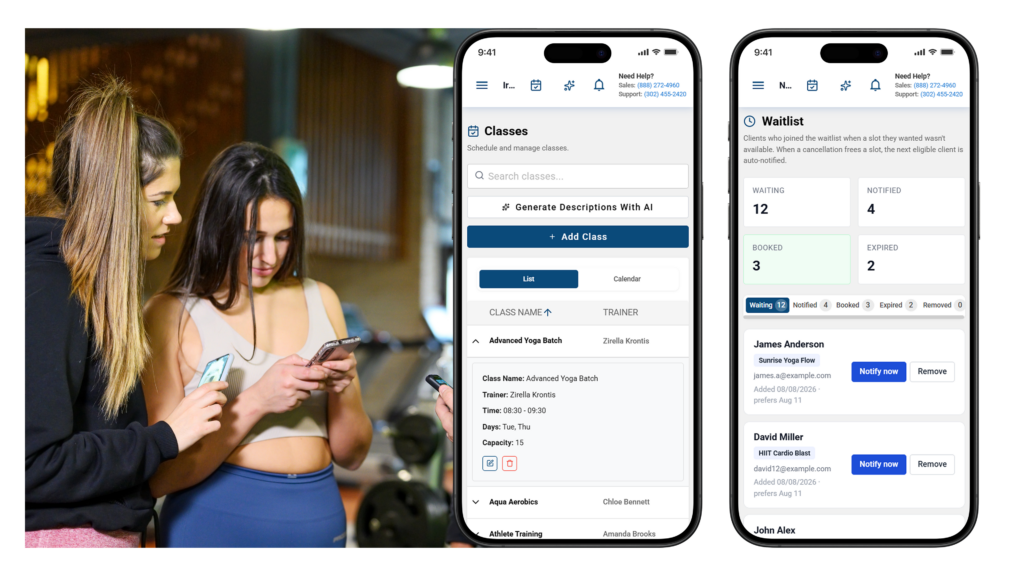
Members book, cancel, reschedule, join a waitlist, update a card, sign an outstanding waiver and check remaining pack credits from any device. Times resolve in your studio’s time zone, so a member booking from another state sees your schedule, and the portal says plainly whether a service is not offered on that day or the day’s slots are taken.
Owners and staff run the same studio from the app, down to taking a payment and exporting a report. Push notifications carry the things that cannot wait for an email.
A walkthrough with the team covers your schedule, your member list and your migration.
Book a Demo