


Recital season breaks studios at checkout: one-time charges, ticket traffic, and parent questions hit at once, while the class schedule usually keeps running.
Recital week is a load test, and most studios fail it at the checkout
On a normal week, your software has an easy job. It holds a class grid of roughly 40 classes, runs steady autopays, and keeps predictable rosters in place. That work matters, but it is repetitive. Even a studio that already knows its enrollment limits from Capacity Planning: How Many Members Can One Studio Actually Hold? faces a different problem in recital season. The strain lands on payment volume and parent communication.
Those events do not fail in the same way a class calendar fails. They fail when stored cards decline, when a family cannot tell what they bought from the receipt, and when staff has to answer the same question over and over because the checkout page did not explain the charge.
A familiar pattern shows up fast. At 9:00 a.m., hundreds of parents open the same ticket page. The page slows down or queues them with no clear place in line. Later that day, you batch costume charges to stored cards and a slice of them declines. The parents who do get charged see a large one-time amount and a billing descriptor they do not recognize. Then your front desk spends the afternoon explaining whether the charge was for costumes, tickets, media, or tuition.
That is why chargeback risk climbs in recital season. The transaction is unfamiliar, it is larger than the usual monthly tuition, and it often sits next to a no-refund policy. Prevention happens at the point of sale and on the statement line the parent sees first. If you also take preauthorized bank-account payments, federal rules require the authorization to be signed or similarly authenticated, require that a copy be provided to the consumer, and let the consumer stop payment by notifying the institution (12 CFR § 1005.10).
The test we give owners is simple. Can your software run a one-time $95 charge across 400 stored cards, publish an itemized receipt for each family, and show every failure in one list for staff follow-up? If it cannot, recital week will find the weakness before your team does.
The nine capabilities recital season actually demands
Take this list into a vendor demo and make the salesperson click through each one on a live account, not a slide. Ask for the number in the second column every time.
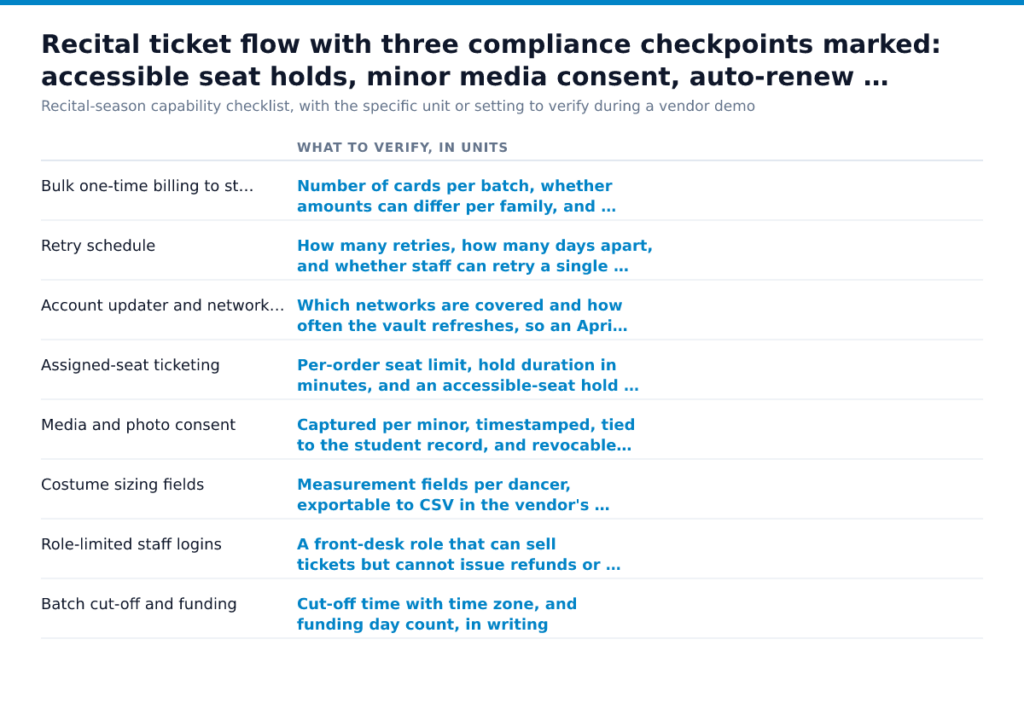
| Capability | What to verify, in units |
|---|---|
| Bulk one-time billing to stored cards | Number of cards per batch, whether amounts can differ per family, and where the failed-payment queue lives |
| Retry schedule | How many retries, how many days apart, and whether staff can retry a single card manually |
| Account updater and network tokens | Which networks are covered and how often the vault refreshes, so an April costume charge doesn’t decline on a card reissued in March. See Account Updater and Network Tokens: Keeping Member Autopays Alive When Cards Expire |
| Assigned-seat ticketing | Per-order seat limit, hold duration in minutes, and an accessible-seat hold you can release on a set date (28 CFR 36.302) |
| Media and photo consent | Captured per minor, timestamped, tied to the student record, and revocable (16 CFR 312.5) |
| Costume sizing fields | Measurement fields per dancer, exportable to CSV in the vendor’s column order |
| Role-limited staff logins | A front-desk role that can sell tickets but cannot issue refunds or view full card data |
| Batch cut-off and funding | Cut-off time with time zone, and funding day count, in writing |
| Refunds, credits, and messaging | Credit memos with an audit trail for non-refundable costume orders, plus per-recipient delivery logs |
If a vendor can show seven of these and hand-waves the other two, price the gap. The two you can’t configure are the ones your staff will handle by hand at eleven at night in May.
Costume fees, ticket surcharges, and the fees your statement will show in May
May statements surprise studios for a simple reason. Your payment mix changes. Tuition autopay is predictable and usually runs as a recurring credential on file. Recital tickets and costume balances are different: online or keyed card-not-present sales, one-time charges, and larger single purchases.
When that happens, don’t accept mystery lines on the statement. Ask for the fee name and the source of every new item on the May statement. The source is the party that created it: the card network, your processor, your gateway, a fraud tool, or a funding option. If your rep can’t tell you both, in writing, the processor is the problem. May is the wrong month to learn that a vague “service fee” was really a markup, a network pass-through, and an add-on nobody explained.
Studios often try to push some of that cost onto ticket buyers. That’s a disclosure exercise before it’s a pricing one. Read Can Studios Surcharge Recurring Membership Payments? Card Rules, State Laws, and Disclosure Requirements before you switch that setting on.
If tuition or an installment plan debits a bank account, you’re in preauthorized electronic fund transfer territory. Regulation E treats a transfer that varies in amount differently from a fixed monthly debit (CFPB, Regulation E, 12 CFR 1005.10(d)), and recital add-ons often create exactly that problem. When the amount will change, the consumer must get advance notice under 12 CFR 1005.10 (12 CFR § 1005.10). Ask your software vendor and your processor which system sends that notice and whether the audit trail shows delivery. Then ask one more cash-flow question. Ticket revenue usually arrives well before you pay the costume invoice.
The rules you can’t configure away: accessible seating, consent for minors, and cancellation
Accessible seats have to be sold the way every other seat is sold. If you sell tickets for a single event or a series, you must disclose the locations of unsold accessible seating on inquiry, describe its features well enough that a buyer can judge it independently, and sell those seats through the same channels, during the same hours, at the same price tiers as comparable non-accessible seats (28 CFR 36.302). Public entities selling tickets, including school-affiliated venues, carry the parallel duty to give equal purchasing opportunity for wheelchair spaces and companion seats and to release held accessible seats on a defined schedule (28 CFR 35.138). Your ticket platform either models seat holds and price parity, or your front desk sells those seats by phone and hand-notes the map.
The same duty follows the audience into the room: seating changes, service animals, and backstage access for a parent assisting a dancer. That’s policy modification, and it runs alongside the physical questions covered in ADA and the Physical Studio: Entrances, Restrooms, Equipment Access, and Inclusive Classes. When your ticket page is the only way to buy, DOJ’s position is that goods and services offered online must be accessible too (Guidance on Web Accessibility and the ADA).
Recital photo galleries raise a separate question. If your platform collects personal information from a child under 13 online, verifiable parental consent is required before collection (16 CFR 312.5). A media release signed at registration isn’t automatically that consent.
Then there’s tuition. The FTC recodified the Negative Option Rule as it read before the 2024 click-to-cancel amendments (Revision of the Negative Option Rule, Withdrawal of the…), so state health-club statutes and your written EFT authorization now set the cancellation path, as we detail in Gym Membership Auto Renewal After Click-to-Cancel: What Studios Must Get Right in 2026.
Run this dry run six weeks out
Six weeks gives you time to fix a bad descriptor, replace expired cards, resend a rejected vendor file, and retrain front desk staff before parents hit the site. Keep the checklist in your recital folder and reuse it for other high-volume launches, including Running Teacher Training as a Revenue Line: Pricing, Payment Plans, and Delivery.
- Pull the card-on-file report and count every card that expires before recital month. Match that list against your updater or token service log so you know which records refreshed and which families need a new card now.
- Run a $1 test on 20 staff or other consented accounts you control, then void it. Read the descriptor exactly as it appears in the cardholder view and confirm it uses the name parents recognize.
- Publish the ticket page to staff only and have five people buy at the same time. Time the checkout from seat selection to payment receipt, and make sure the per-order ticket cap still blocks bulk grabs.
- Sell one accessible seat and one companion seat through the same purchase flow as every other buyer. ADA ticketing rules require an equal opportunity to buy accessible seating (28 CFR 36.302).
- Export the costume sizing file and send it in the vendor’s required format before the vendor’s stated deadline. A file that opens on your laptop still fails if the vendor imports by fixed columns and your export shifts them.
- Send the recital schedule message to a test segment with email addresses and phone numbers you control. Check the delivery log, not the send confirmation.
- Put refund, exchange, and non-refundable costume terms on the checkout screen where the buyer pays. If those terms live only in the handbook, staff will end up arguing policy after the charge is already disputed.
- Ask your processor to confirm the batch cut-off time and expected deposit date in writing. That email tells you whether Friday night ticket sales reach your account before the next payroll run.
You’re done when each test leaves evidence in one folder: the expiring-card count, a descriptor screenshot, timed checkouts, an accessible-seat order, a vendor-accepted file, a delivery-log record, the checkout terms, and the processor email.
Assign an owner to every failed step today. Then rerun only the failed items within 48 hours, while the fix is still fresh and before recital traffic hides it.
Frequently Asked Questions
What is the best free dance studio management software?
For a studio that has to survive recital season, a free plan is rarely the best choice. Free products usually get paid for somewhere else, often through a processor relationship, ticketing limits, branding on parent-facing pages, or paid support when you need help fast. Use a free trial to test guest checkout, reserved seating, waiver collection, and a same-day data export before you move your families into it.
How much does DanceStudio-Pro cost?
Ask for one written quote that shows the monthly software charge, one-time onboarding, data conversion, text credits, hardware, support tier, and the renewal and cancellation clause. If the quote folds processing into a single bundled rate, ask for the processor’s markup as its own line before you sign.
Is owning a dance studio profitable?
Owning a dance studio is profitable when your schedule stays full enough to cover rent and payroll, and when recital work is priced so spring admin labor does not erase your margin. Busy studios still lose money when they underprice private lessons, carry too many low-enrollment classes, or let costume and ticket workflows consume staff hours that never show up as revenue. Track profit by program, teacher payroll model, and season, because the class that fills your lobby is not always the class that pays your bills.