


A dependable studio backup plan for gyms and fitness boutiques is now essential as outages can occur at any moment. Not having a backup puts studio operators at risk for operational chaos, revenue loss, and member frustration when connectivity shuts down unexpectedly. Cloud-based systems are the primary source of operations for many studios. When there is an outage of the internet, day-to-day operations are severely hindered due to interrupted check-ins, payment system failures, and an unprepared staff.
Many times, this lack of preparation results in inconsistent service, billing accuracy problems, and poor experiences for members. Developing a backup plan, operators are able to effectively manage through a blackout. With good systems in place, operators can accurately and seamlessly continue to operate until digital connections are again available.
The purpose of this document is to provide an easy, actionable step-by-step guide to develop a resilient studio backup plan. You will find everything from gym Wi-Fi, checklists, to offline payment options and communication strategies. The ultimate goal of each section is to assist owners and managers in maintaining the quality of service throughout disruptions in connectivity.
Reasons Every Studio Needs a Backup Plan for Internet Outages
A lack of an appropriate studio backup plan leads to many problems when internet service is available and reliable. A studio depends on an internet connection to perform its daily operations. When there is a disruption to the internet, the ability to provide services significantly affects the studio’s bottom line and the satisfaction of the existing members.
In modern studios, most of the functions that keep the studio running rely on a cloud-based platform for functioning. Without connectivity, accessing these systems is impossible. A structured studio backup plan will effectively address these challenges by providing clear and defined procedures. It will remove the stress from the staff and allow the studio to maintain operational consistency.
The key risks to an organization of not having a formalized studio backup plan include:
- Missing or unrecorded member check-ins.
- Inability to process payments for members.
- Discrepancies in billing will be addressed once the systems have been restored.
- Poor member experience and member dissatisfaction.
- Loss of revenue by not recording member transactions.
Planning will allow studios to avoid these issues. With a strong studio backup plan, no obstacles will interrupt service after an unforeseen disruption.
Building a Gym Wi-Fi Down Checklist for Immediate Response
A gym Wi-Fi outage checklist is the first action in this business continuity plan. This outlines clear, actionable steps for the staff to take during an outage. The internet breakdown creates a lot of confusion for the staff, which ends up slowing down response time. The checklist helps remove the guesswork from the process and guarantees that all critical actions are executed immediately once the internet recovers.
The gym Wi-Fi down checklist must contain both technical and operational adjustments. Some examples of this would include:
- Confirm the outage by testing several devices.
- Restart the router and network connections.
- Call the internet provider if needed.
- Activate the temporary backup hotspot.
- Switch to offline check-in and check-out procedures.
- Notify all staff and assign temporary assignments.
- Begin member communication concerning the outage.
Having this organized listing will help keep control of the situation during the first phase of disruption. It allows a seamless transition from digital systems to manual workflows for the staff to follow. It is important to train the staff for efficiency.
This practice helps them build confidence and speed during actual events. A well-crafted studio backup plan checklist is the keystone of a successful continuity for any gym. It can turn a disorganised situation into a coherent process.
Creating a Reliable Paper Check-In Studio Backup Plan System

Paper check-in backup systems are a necessary part of any studio backup plan. They help to accurately track member attendance, even when digital systems are not down. Without a studio backup plan risk of losing attendance data, which will contribute to inaccurate billing, disputes with members over membership status, and many operational issues.
To record attendance on paper, studios should utilize structured forms that capture key information and are easily accessible. The key details to capture the information on a paper check-in backup are:
- Member name and membership ID
- Check-in date and class name
- Staff initials for verification
- Notes related to any special situations or issues
To maximise efficiency, studios should store check-in sheets by class or time slot, thereby reducing congestion at the front desk. Another consideration related to offline verification of members’ status can be done by providing staff access to a printed or downloaded member roster. This enables them to verify that the member is active without the need for an internet connection.
Once systems have been restored, data from the paper check-ins need to be entered back into the digital system to maintain accurate records. Having a well-designed check-in studio backup plan system will enhance the ability to maintain continuity and accountability. Hence, providing their members with a consistent level of service regardless of whether or not there is an outage with their systems.
Handling Offline Payments Studios Without Losing Revenue
Creating a studio backup plan is essential to process offline payments at any time if they lose power or their payment processor goes down. If a studio does not have a defined way of accepting payments without electricity, it is going to miss out on important income.
Many modern payment service providers require internet access to process payments. However, there are several options for service providers to accept payment via some form of offline payment method.
Offline payments can be made using:
- Manual entry of credit card numbers in POS systems when they are in offline mode.
- Record the payment information and keep it secure for processing later.
- Accept cash as a medium of exchange.
- Using mobile devices to process transactions at a later time with previously stored transaction details.
There are many varieties of offline payment methods, but Square is one of the most popular. Knowing how to accept payments from Square while they’re offline is necessary for a successful workflow.
An important consideration when using offline payments is to ensure that transactions happen accurately and securely. Therefore, it is imperative that your staff record payment information accurately to avoid problems during reconciliation.
Operational best practices for creating secure and accurate offline payment methods include:
- Standardizing payment forms.
- Clearly identifying all transactions as “offline” to facilitate reconciliation.
- Storing sensitive payment data using password protection methods.
- Processing payments as soon as internet access is established again.
Clearly written procedures on how to process offline payments will help reduce the risk of duplicate or lost transactions. They will also help ensure proper accounting for all revenue received. Studios that develop reliable offline payment processes will be able to safeguard their margins and preserve financial viability.
Using POS Outage Checklists to Maintain Payment Accuracy

A Point-of-Sale (POS) outage checklist acts as an accessory to the studio backup plan. It helps ensure payments are handled in an accurate and consistent manner by providing a systematic way to process transactions.
If a POS system goes down, the staff must quickly move to a manual method for processing payments. Transitioning between processing payments digitally and manually without any form of direction can create errors and result in customers being missed.
The following steps should be included on the POS outage checklist:
- Verify that there is an actual POS system outage.
- Switch to “offline payment mode” if there is one available on the POS hub.
- Use manual forms for recording transactional activity.
- Verify transactional details with your customers.
- Provide a temporary receipt for each transaction during the outage.
- Properly store or secure all records associated with each transaction.
- Reconcile all transactions after the POS system is restored.
Having a checklist provides a method for recording and tracking all transactions and decreases the number of disputes. It is very important to train employees on how to use them and why it is important. Employees should perform regular drills to develop the skills needed to improve response time and accuracy.
Using a structured POS outage checklist will improve the overall studio backup process. It will also guarantee that payment processing will remain reliable even if disrupted by any means.
Implementing a Backup Hotspot Plan for Connectivity Resilience
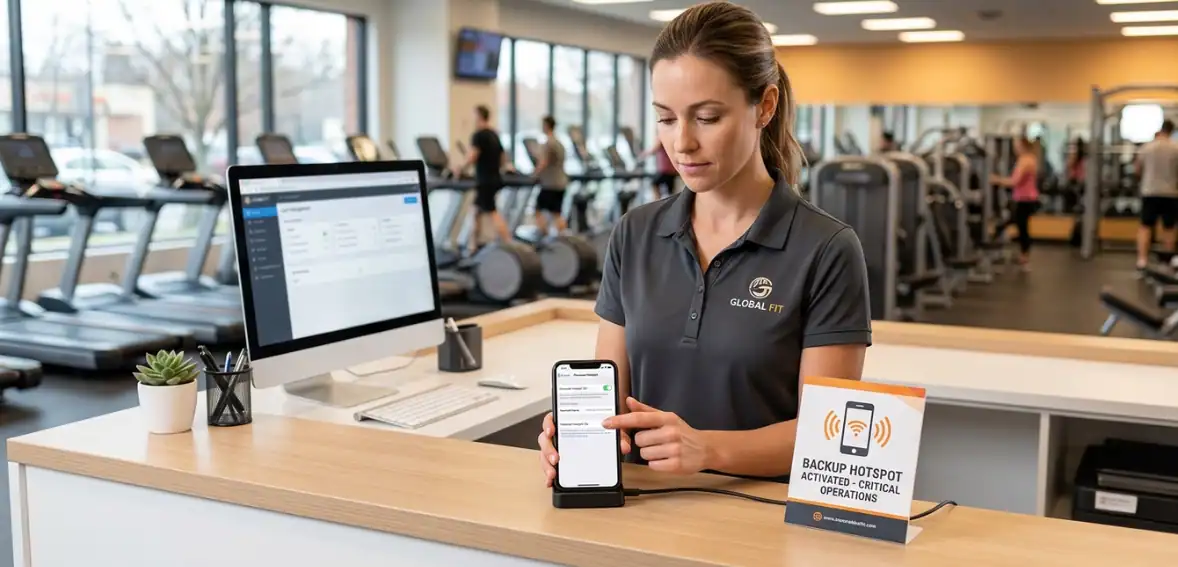
An additional layer of resiliency can be created by utilizing a backup hotspot plan studio strategy. This gives studios the ability to provide limited access to the internet while there is an outage. Mobile hotspots are used as temporary internet sources, giving the ability to access payment processing or to validate memberships.
When developing a backup hotspot plan, the following should be considered:
- Choosing mobile carriers that are reliable.
- Make sure to have a dedicated hotspot device.
- Having sufficient data plans.
- Testing connectivity frequently.
In addition, hotspots must be pre-configured for use, and staff should be trained on how to activate and connect the devices quickly in case of an outage. Although the use of a hotspot may not allow the operation of the entire business, it will help in processing payments and accessing essential business information.
With the use of a backup hotspot plan, a reduction in the time of outage and an increase in continuous operating are achieved. Thus resulting in an overall improved experience.
Ensuring Offline Membership Verification During Outages
Studios need to verify membership status when customers are not present to help them control access to their facilities and deliver their services at the highest level. They face two dangerous outcomes because they need membership verification to prevent unauthorized access and protect legitimate members from being denied entry.
The studio backup plan should contain procedures that enable membership authentication through methods that do not require internet connectivity. The system guarantees that all check-in processes maintain both their correctness and their unbiased nature. The typical methods of implementation include:
- The organization keeps physical copies of member directories.
- The organization stores membership information on its internal systems.
- The system operates by using stored information from its management database.
The staff members need training to use these resources in an efficient manner. They must demonstrate how to find and check member details without wasting time. The organization needs to establish verification procedures that will apply to all members without exception. The process creates clarity while maintaining equal treatment throughout the organization.
Different studios will keep operational control through their implementation of trustworthy offline membership verification. Thus enabling them to provide services without interruption during system failures.
Creating an Effective Outage Communication Template for Members

The studio backup plan requires effective communication, which needs to be established as a fundamental element. Members should receive updates about service disruptions, which will show them the impact on their access to services.
The outage communication template provides a standard way to deliver information and maintains a professional appearance. The system enables studios to handle emergencies through instant message delivery without needing to create new content. A strong template should include:
- A brief explanation of the issue.
- Assurance that operations are continuing.
- Instructions for check-ins and payments.
- Expected resolution time if available.
- Contact information for support.
The communication channels will be used:
- SMS notifications.
- Email updates.
- Social media announcements.
- In-studio signage.
People experience less frustration when they receive information at the right time, which helps establish trust. The organization should develop templates that need to be stored in a way that users can find them. The system guarantees that communication will begin instantly while delivering optimal results.
Integrating the Studio Backup Plan into Daily Operations
The studio backup plan needs execution through its daily operational integration for successful management. Success requires three essential elements, which include preparation, training, and regular testing. The studios need to establish complete documentation of their processes, which should be accessible for all employees.
The documentation includes checklists, templates, and backup workflows to support their operations. During an outage, staff members need to know their specific duties and responsibilities. The process training needs to be reinforced through regular practice sessions. The studio uses an internet outage simulation to train teams, which helps them enhance their response capabilities.
The plan needs to receive support from technological systems. Organizations need to focus on continuous improvement efforts for success. The studios need to assess their performance after each outage to determine which aspects require improvement. The studio backup plan achieves continuous operational performance, which also reduces operational interruptions.
Conclusion
The studio backup plan needs proper organization because it supports business operations when the internet service fails. Studios without proper planning will experience revenue declines, member relationship damage, and operational chaos.
Studios can achieve operational stability through their organization of gym Wi-Fi failure procedures, their use of paper check-in systems, and their ability to process payments without internet access. The systems enable uninterrupted check-in processes and payment handling, and customer communication throughout their operations.
The organization uses backup procedures, which include hotspot internet access and the ability to verify memberships without internet connection, to enhance its system reliability. The organization uses standard communication templates to create member expectations, which help build trust with them.
The studio backup plan enables studios to handle service interruptions that would normally disrupt operations. Studios that invest in preparation can protect their margins, maintain service quality, and operate confidently in any scenario.
FAQs
- What is a studio backup plan for internet outages?
The studio backup plan consists of operational procedures that enable work to proceed during periods of internet service outages.
- How can gyms handle check-ins without internet?
Gyms can implement paper-based check-in systems, which depend on printed member lists to confirm member identities.
- Can payments be processed without the internet?
Studios have the option to implement offline payment systems together with point-of-sale systems, which support offline operation.
- What should be included in a POS outage checklist?
The list needs to contain procedures that explain how to document sales, create customer receipts, and manage payment reconciliation at a future time.
- Why is outage communication important for studios?
The studio maintains operational trust through transparent service disruption updates, which help decrease member dissatisfaction.