


A swim school in Sacramento with 900 weekly students ran a waitlist 200 names long and had, on any given Saturday, somewhere between eleven and nineteen empty spots in the water. The empty spots were scattered: one in a Level 2 at 9:30, two in a preschool class at 10:15, three in a Level 4 that had lost students to advancement. Nobody could see them as a group, so nobody filled them. The front desk worked from a printed roster, and matching a waitlisted three-year-old to an open slot in a class two levels below where her sibling swam took fifteen minutes of phone calls the staff rarely had time for.
That is the economics of a swim school in one paragraph. Capacity is fixed by water and instructors, demand usually exceeds it, and the entire business comes down to whether you can keep every slot filled while children constantly move between levels. Swim school management software has to handle progression, make-ups, and family billing as one connected system, because each one creates the openings and conflicts the other two have to absorb. This covers how progression should work, why make-up policy quietly determines your capacity, and what family accounts need to hold.
Level Progression Is the Whole Business
Every other operational problem in a swim school is downstream of progression. A child advances, which empties a slot in one class and fills one in another, which changes the ratio in both, which may change the instructor assignment, which affects the sibling scheduled in the adjacent lane at the same time.
Whatever curriculum you run, whether a nationally recognized learn-to-swim progression, a stage-based program, or your own skill ladder, the system needs to hold it as structured data rather than as class names. That means a level record, the skills that belong to it, and the criteria for advancement.
What progression tracking has to support:
- Skill-level assessment, so an instructor marks individual skills rather than passing or failing a child as a whole
- A visible path for parents, showing which skills are achieved and which remain
- Advancement recommendations generated from the skill record, rather than from an instructor’s memory at the end of a session
- Readiness flags that surface before the session ends, so placement for the next session is planned rather than scrambled
- History that follows the child across years, including the gap when the family took a summer off
The parent-facing side of this is worth more than operators expect. A parent who can see that their child has four of six skills in Level 2, with two specific items remaining, understands why advancement has not happened. A parent told only that their child is staying in Level 2 for a third session starts shopping for another school. Progression transparency is retention work disguised as an administrative feature.
How Should a Swim School Handle Mid-Session Move-Ups?
Decide the policy deliberately, because both answers are defensible and the undecided version is what causes friction. The two models are advancement at session boundaries only, and continuous advancement whenever a child is ready.
Session-boundary advancement is simpler to administer. Rosters stay stable, instructors keep their groups, and placement happens once in a planned window. The cost is that a child who masters the skills in week three spends five weeks repeating them, which is where boredom and cancellation come from.
Continuous advancement serves the child better and is considerably harder to run. Every move creates a vacancy and fills another, the receiving class may be full or at a different time, and the family may not be able to make the new slot. Schools that run it well do three things: they maintain a live view of open capacity by level and time, they contact the family with specific options rather than asking them to figure it out, and they accept that some children will wait for a suitable opening and track that waiting list by level.
The hybrid most schools land on is continuous readiness assessment with advancement offered at defined points, perhaps every two or four weeks, which gives families predictability and keeps the wait short. Whichever you pick, publish it, so no parent is surprised.
One operational detail that pays off: when a child advances and the family cannot make the new time, hold their current slot rather than assuming they will take the new one. A family that loses both the old slot and the new one leaves.
Make-Up Lessons: the Policy That Decides Your Capacity
Make-up policy looks like customer service and functions as capacity management. A school that grants unlimited make-ups is operating at an effective capacity well below its physical capacity, because every make-up occupies a slot that could have held an enrolled student.
The policy decisions that matter:
- How many make-ups are allowed per session or per enrollment period, with the usual range being one or two per eight-week session
- What notice is required, commonly 24 hours, and what counts as an excused absence
- Whether make-ups must be taken in the same level, which they should be for safety and instruction quality
- Whether make-up credits expire with the session, which they should, or carry forward, which creates a liability that accumulates
- Whether make-ups are scheduled by the family through a portal or arranged by staff
Self-service scheduling is the single highest-value feature here. A portal that shows only genuinely available slots at the child’s level, and lets the parent book one, removes a large volume of phone calls and eliminates the error where staff book a make-up into a class already at ratio.
Capacity for make-ups should be explicit rather than incidental. Some schools designate specific classes or times as make-up eligible, keeping one or two spots open in certain slots rather than letting make-ups fill wherever there is room. That way a make-up never displaces an enrollment opportunity in a high-demand time, and families know where to look.
Track make-up usage as a metric. Families using every available make-up are often families whose scheduled time no longer works, and that is a conversation about moving them permanently rather than accommodating them weekly.
Family Accounts, Siblings, and Who Gets the Email
A swim school bills households and teaches children, and the data model has to reflect both. The account is the family, the students are the children, and the communication preferences belong to specific adults.
What a family account needs to hold:
- Multiple students, each with their own level, class, progression record, and medical notes
- Multiple responsible adults, with separate contact details and separate permissions
- A single billing relationship with one payment method, or more than one where separated parents split costs
- Authorized pickup list per child, which matters for schools where parents drop off
- Communication routing, so that both parents receive progress updates while only the billing contact receives invoices
- Sibling discount logic applied automatically at the household level
Separated and blended families are common and most systems handle them poorly. The useful capability is two contacts with independent logins, independent email, and a defined split of who sees billing. Forcing a household into one login with one email address is how schools end up in the middle of family disputes.
Sibling scheduling is the other household-level requirement. Parents want children in adjacent or concurrent slots, and a system that can search for two openings at compatible times across different levels saves the front desk a great deal of work. When one sibling advances and the times no longer align, that should surface as a flag rather than as a complaint.
Billing mechanics deserve a note. Most schools run card-on-file autopay, either monthly for perpetual enrollment or per session. Expect failures every cycle, build a retry schedule, and decide in advance whether a failed payment affects attendance. Locking a child out of a lesson over a declined card is rarely the right first move, and a short grace period with notification handles most cases.
Instructor Ratios, Water Space, and What Actually Limits Enrollment
Capacity is the smaller of two numbers: available water and available instructors, with ratio requirements determining how those convert into students.
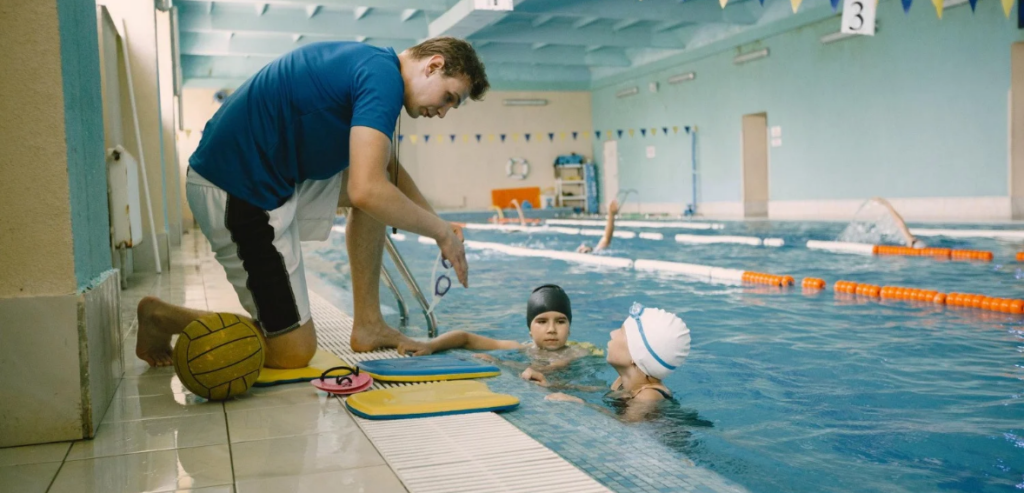
Ratios vary by age and skill level, and the tighter ones are at the beginning. Preschool and beginner classes commonly run in the range of one instructor to three or four students, school-age beginner classes around one to six, and more advanced groups higher. These are program standards, and the governing requirement is whatever your state or local health department’s bathing place regulations specify, together with lifeguard coverage requirements that exist independently of instruction ratios. Confirm both with your health department rather than following another school’s practice.
What this means for the system:
- Maximum enrollment per class set by level and by instructor count, not one blanket number
- Lane or zone assignment, since two classes in one lane is a safety problem regardless of total pool capacity
- Instructor certification tracking with expiry dates, covering lifeguard, CPR, first aid, and water safety instruction credentials
- Background screening status for every staff member working with children, with renewal dates
- Substitute logic, so that when an instructor calls out the system shows who is certified for that level and available
The limiting factor in most schools is instructors rather than water, which makes instructor scheduling the real capacity lever. Schools that track instructor availability properly, including the hours each person is willing to work and the levels each is qualified to teach, can add classes where the constraint is soft rather than assuming the schedule is fixed.
Water temperature and facility conditions belong in the operational record too. Programs for infants and toddlers generally require warmer water than lap swimming, commonly recommended in the upper eighties, which constrains which times of day certain programs can run in a shared facility.
Perpetual Enrollment or Session-Based Terms
This choice shapes everything else, and schools switch models more often than they expect.
Session-based enrollment runs defined terms, commonly six to ten weeks, with families re-enrolling each time. It is easy to explain, gives natural points for level changes, and creates a predictable administrative rhythm. The weakness is re-enrollment churn: every session boundary is a decision point where families drop out, and filling the resulting gaps is a scramble.
Perpetual enrollment keeps the child in the same slot month after month, billed monthly, until the family cancels. Retention is structurally better because inertia works in your favor, and capacity planning is steadier. The cost is that progression has to be continuous, since there is no session boundary to advance at, and cancellation policy has to be clear because a family who thought they were done may still be billed.
If you run perpetual enrollment, three things need to be airtight. The cancellation process, including notice period and how a family submits it, should be self-service and documented. The hold or freeze option for vacations and illness needs a defined length and an automatic resumption date. And the monthly amount needs to be stated in a way parents understand, since a four-lesson month and a five-lesson month at the same price confuses people unless you explain that the rate is monthly rather than per lesson.
Schools running both models for different programs need the system to handle them side by side, which is worth checking in a demo rather than assuming.
What Makes a Parent Cancel After Level Three?
Three things, consistently, and all three are visible in your data before the cancellation arrives.
Stalled progression. A child in the same level for three sessions, with no visible movement on skills, produces a parent who concludes the lessons are not working. The signal is the skill record showing no new achievements over six to eight weeks, and the fix is a conversation before the parent reaches that conclusion: what the specific barrier is, what you are doing about it, and roughly how long it will take. Many children genuinely plateau at the point where independent swimming and breathing coordinate, and parents who understand that stay.
Schedule friction. A family whose slot stopped working, visible as a rising absence rate and heavy make-up usage. These families usually do not ask to move because they assume nothing is available. Proactively offering alternatives to anyone whose attendance drops below a threshold recovers a meaningful share of them.
Instructor change. Young children attach to their instructor, and an unexplained substitution or reassignment reads to a parent as instability. Schools cannot avoid turnover, and they can handle transitions deliberately: notice in advance, an introduction, and continuity of the skill record so the new instructor knows exactly where the child is. A system that holds progression at the skill level rather than in the instructor’s head makes that handover genuinely seamless, which is one of the clearest arguments for running swim school management software rather than rosters and clipboards.
The number worth watching weekly is enrolled slots against physical capacity by day and time, with the gap itemized rather than summarized. That report is what would have shown the Sacramento school its nineteen empty spots as a list of specific openings to fill from a waitlist 200 names long.
State and local health department requirements for ratios, lifeguard coverage, water quality and facility standards vary considerably, and staff screening obligations differ by state. Confirm the rules that apply to your facility with your health department and your attorney before setting capacity or staffing policy.