


Running a fitness studio means your software works behind the scenes every single day. It handles bookings, billing, member check-ins, and staff schedules. When that software starts working against you instead of for you, the cost isn’t always obvious — but it’s real. Hidden fees stack up. Payouts slow down. Support tickets go unanswered.
The problem? Most studio owners know they need to switch, but freeze when they think about studio software migration. What happens to member data? Will recurring payments break? Will clients notice?
This guide answers all of that. Whether you’re leaving Mindbody, Vagaro, or Glofox, here’s exactly how to migrate your studio software without losing members, revenue, or your sanity.
Why Studio Owners Switch Software in the First Place

The most common triggers are surprise price increases, payment delays that last more than a week, and hidden fees attached to integrations or marketplaces. Some platforms even advertise competitor studios inside your own member app, which is a hard pill to swallow when you’re paying a monthly subscription.
Beyond cost, studios outgrow their software. A platform that worked fine at 50 members starts showing cracks at 300. Reporting becomes clunky. Automation is limited. Customer support stops being responsive. When the software creates more admin work than it saves, switching becomes the smarter financial decision — not a risk.
What You Should Do Before You Start Studio Software Migration
Review the terms of your contract. Many studio owners don’t know about contract clauses and terms, such as auto-renewals and early exit clauses. You may even have the right to exit early due to a change in the contract’s pricing or a material change to the service. If your contract includes an auto-renewal clause, investigate whether you’re truly stuck. You may just need to review the fine print to secure an early exit.
Request your full data export, including everything from member profiles and personal data to payment methods and account details. Don’t forget about the remaining class balance. Some providers may charge you to take your data with you, and others may make your export dependent on a support request. Start this as soon as you can because it can take time to navigate, and you don’t want to be stuck until the end of your contract.
Lastly, plan your migration timeline carefully and commit to it. Setting a realistic timeline prevents service gaps that confuse members. The costs of a seamless transition outweigh the short-term savings of rushing the process or cutting corners.
How Long Does a Studio Software Migration Actually Take?

For all migrations that do not involve a branded app, clients can expect completion in 4 to 6 weeks. For migrations that require a branded app, clients can expect a minimum completion time of 8 weeks, as app development typically takes about 4 weeks. For businesses with multiple locations and complex membership structures, the timeline ranges from 8 to 12 weeks.
The platform you are migrating from also plays a significant role. For example, Mindbody extracts faster due to its open document APIs, whereas Glofox lacks a self-service API, so a number of their admin data items would have to be downloaded in CSV format, which would take extra time.
As a rule of thumb, your migration should start 1 to 2 months before your contract expires. Your migration would occur during a period of system overlap, providing a safety net in the event it is not successfully completed. You would be at peace regarding the new system.
The Step-by-Step Studio Software Migration Process
Step 1 — Audit Your Current System
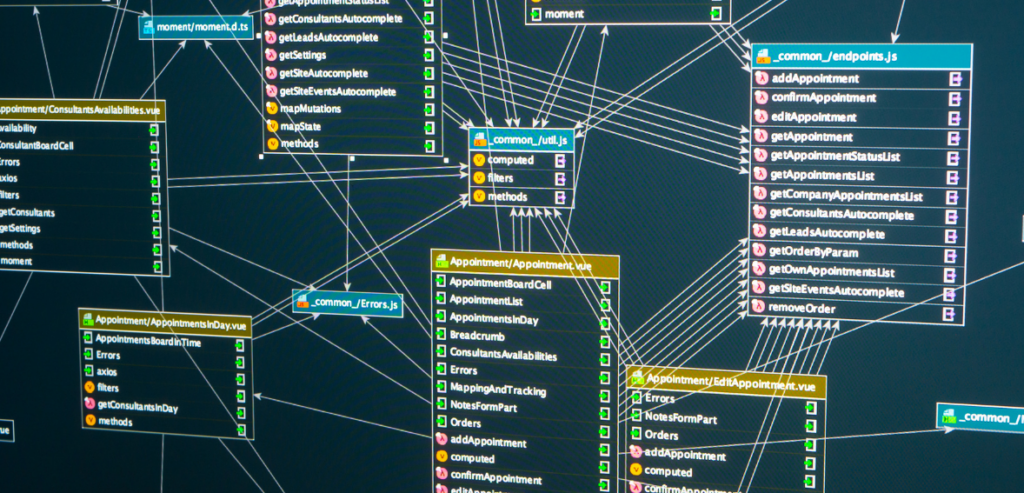
Before you make any changes, document every aspect of your business processes. Record your membership tiers, class schedules, your workflows (email and marketing), your staff’s roles and permissions, workflows, and your operational tech stack. Basically, account for everything your business processes rely on.
Doing your due diligence here is incredibly important and is necessary for a successful transfer to a new system. The more you document, the fewer issues you will face post-launch.
Step 2 — Choose the Right Replacement Platform
Not every platform is built for every business type. Mindbody is broad, catering to fitness, beauty, and wellness, making it a strong choice for multi-service studios. Vagaro is popular among salons, spas, and smaller boutique studios that want solid scheduling at a lower price point. Glofox is built exclusively for fitness studios and gyms, which means fewer features you’ll never use and workflows that match how fitness businesses actually operate.
Think carefully about where your business is headed, not just where it is today. The right software grows with you.
Step 3 — Export and Transfer Your Data
Once you’ve chosen your new platform, your migration team will handle the import pipeline. What transfers cleanly includes member profiles and contact information, active memberships and credits, stored payment methods, and recurring billing details. Members will not need to re-enter their payment information if the migration is handled correctly.
What typically gets rebuilt rather than transferred includes your class schedule, automated communication workflows, custom membership types, and reporting dashboards. This isn’t a setback — it’s actually an opportunity to clean up workflows that may have become cluttered over the years.
A rigorous migration provider will perform line-by-line data validation, comparing record counts, payment totals, and contract terms against your original source data before anything goes live.
Step 4 — Configure Your New Platform
This phase is where your new system gets built to match your actual business operations. Membership tiers are set up with the right pricing and billing cycles. Class schedules are recreated with capacity limits and waitlist logic. Staff permissions are configured so each role — front desk, trainer, manager — sees exactly what they need and nothing more.
Payment gateways are set up and tested with real transactions prior to launch. If your old platform took over seven days to disburse payments, but your new platform processes payments faster with two-day disbursements, you will begin to notice the difference.
Step 5 — Train Your Team Before Launch
Staff confidence on launch day makes or breaks the member experience. Training should happen role by role rather than all at once. Owners and managers go first and become the in-house experts. Front desk staff follow, focusing on check-in, booking, and payment processing. Trainers and instructors learn session scheduling and client management last.
Most teams reach operational confidence within a few days on a well-designed platform. If your new software requires weeks of intensive training, that’s a signal that the interface wasn’t built with busy staff in mind.
Step 6 — Run Both Systems in Parallel
Operate both the old and new systems simultaneously for at least 1 week before the final switch. Members can check in and out of both systems, and payments are accepted from either. This parallel period shows the old system being switched off while the new system helps your team build confidence and capture edge cases that were not addressed.
The final cutover should be planned for your slowest day, typically a mid-week day or over the weekend. Any migrations that follow this process will not experience downtime.
Step 7 — Communicate the Change to Your Members
Members don’t need technical details. They need reassurance. About 30 days before launch, send an email letting them know you’re upgrading your booking system, that their membership will remain active, that their credits will carry over, and that their payment information is secure.
Once the app launches, send another email highlighting the following: improvements in booking, fewer login steps, and no competitor ad interruptions. An effective email should include the link to the app and login instructions. Less is more; a short email is the best approach. An email that is simple to read and has clear steps is the most effective.
Switching From Specific Platforms: What to Know
Migrating From Mindbody
Mindbody’s API is easier to use for data extraction than those of other platforms. A single-location migration from Mindbody is usually done in three to four weeks. Since Mindbody covers a lot of functionality, your new software won’t necessarily link to every function you have, but that’s not a problem. Most studios use only a fraction of Mindbody’s features and functionality. It’s important to duplicate the workflows your team uses daily.
Migrating From Vagaro
Vagaro is good for simpler studio setups, and its export tools are fairly user-friendly. The transition timeline is typically short. The main concern is the difference in the member communication tools. Some platforms offer more efficient automated marketing. Evaluate which Vagaro tools your business uses before picking a replacement.
Migrating From Glofox
Migrating from Glofox requires a bit more forethought when it comes to exporting user data, given the policy against self-service APIs. There will be lots of manual CSVs, while your migration team will assist you to the best of their abilities. You will need to budget four weeks to finish this process. Glofox studios, which have recently migrated, have reported finding unrecovered failed payments that were not being displayed on their previous platform. This could accelerate the migration costs.
How to Keep Members Through the Transition
There are two factors that we need to focus on for successful member retention during a software switch: communication and continuity. It’s a mistake to assume that members are upset about switching platforms. The irritation occurs because members are confused and/or feel ignored when there are breaks in booking and billing. A proactive and friendly message and a seamless app download process during a software switch is all it takes. Additionally, consider offering class credit or another branded item to incentivize members to download and log in to the new app in the first week.
Conclusion
Switching studio software feels like a bigger risk than it actually is. With the right preparation, a realistic timeline, and a migration partner who validates your data at every step, the process is structured and predictable — not chaotic. The studios that stay on underperforming platforms out of fear are the ones quietly losing money month after month through slow payouts, hidden fees, and admin time that should be spent coaching.
Your members deserve a better app experience. Your staff deserves tools that actually work. And your business deserves software that grows with you, not one you’ve outgrown.
Frequently Asked Questions
Will my members lose their membership history when I switch platforms?
In most cases, no. Active memberships, credits, and saved payment methods transfer during a properly managed migration. What gets rebuilt rather than migrated includes class schedules and automated workflows — but your members’ core account data moves with them.
Can I migrate if I’m still under contract with my current provider?
Yes. Review your contract for exit clauses, especially if there has been a recent price increase or change in service terms. Many providers will negotiate early termination, particularly for long-standing customers. Running both platforms in parallel while finishing out a contract is also a common approach.
Do my members need to re-enter their payment information?
No. Payment methods, including credit cards and direct debits, will transfer as part of the migration. Recurring billing continues on the same schedule, uninterrupted. Members should not experience any break in their billing cycle.
How do I choose between Mindbody, Glofox, and other platforms as a replacement?
It depends on your business model. Mindbody suits multi-service studios covering fitness, wellness, and beauty. Glofox is purpose-built for fitness studios and gyms. Vagaro works well for smaller, service-based studios, prioritizing simplicity and cost. Evaluate where your business is headed in the next two to three years — your software choice should support that growth, not cap it.