

Passkeys for Fitness Studios: Passwordless Login for Member Portals and Staff Dashboards
Passkeys for fitness studios are a new standard for securely accessing member portals and for logging in to your account. Members are tired of forgetting their passwords. Frequent password reset requests frustrate staff, and studio owners lose revenue while assisting members with login issues. By 2026, sign-in experiences must be fast, easy, and secure.
If your fitness studio uses any online booking, billing, or staff dashboard, the experience when signing in to those systems is crucial. When someone can log in to your portal quickly and easily, they are more likely to be satisfied with your service. A secure login system protects both member account information and payment data. This guide will provide insight into what a passkey is and how it works, why it matters right now, and how your studio can implement it without disrupting your current systems.
The Evolution of Passwords and OTP: Why 2026 Will Be the Tipping Point
For decades, people relied on passwords to log in. Following that came one-time passcodes sent via text message or email. While they all play a role to some degree, there are flaws associated with both options.
Passwords are frequently reused, easily guessed, or stolen. Many users reuse the same password across multiple websites. If one website has been compromised, all accounts created with the same password are at risk. Each time a user requests a password reset, it creates additional support tickets, which adds to frustration and confusion.
Although one-time passcodes solve a small part of this problem, they are far from foolproof. Text message codes can be intercepted. Email codes can take time to arrive. Users often enter incorrect codes, causing delays when making reservations or checking in.
Passkeys for member portal solutions eliminate these problems. Instead of typing a password to log in, users unlock their device via fingerprint scan, face scan, or device PIN. Behind the scenes, a secure digital key verifies their identity. Because nothing is verified through typed input, nothing that can be reused is shared.
This method creates a phishing-resistant login. Even if a member clicks on a fake website, the passkey will not work on that fraudulent site. That is why 2026 is a turning point. Fraud is rising, and users are frustrated. Studios need to upgrade their login systems.
Understanding the Basics of WebAuthn Authentication
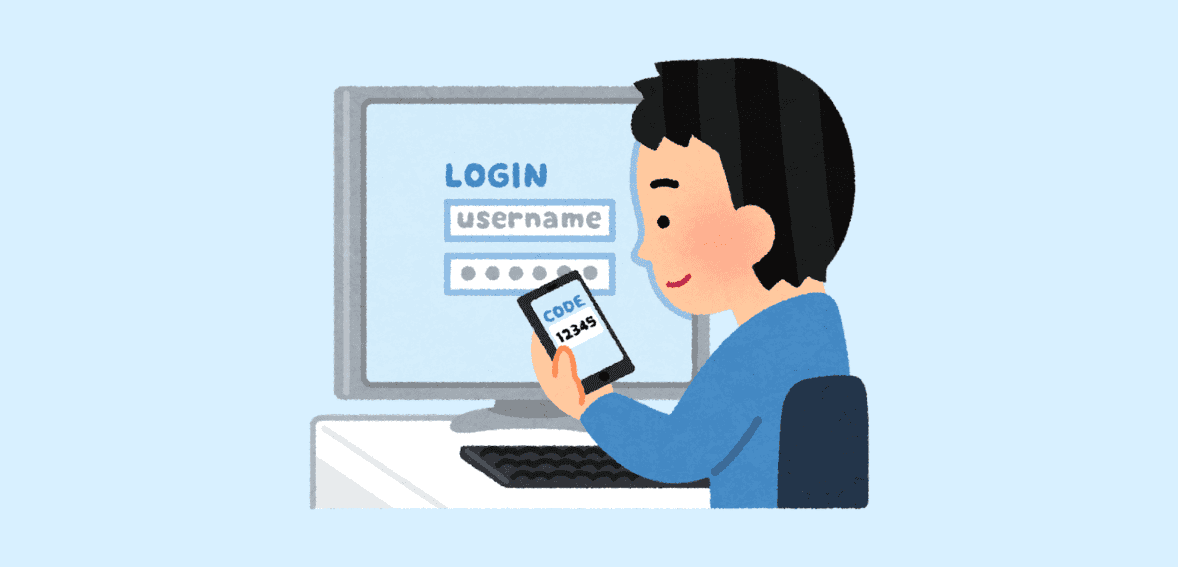
WebAuthn is a global authentication standard used to securely access SaaS (Software as a Service) platforms. It works across multiple devices and browsers.
How It Works
When a user logs in with passkeys, the authenticator generates a public/private key pair; the private key stays on the device/authenticator, and the server (relying party) stores the public key and the credential ID. The credential is also origin-bound (won’t work on lookalike/phishing domains).
The private key is stored only on the device, and when the user attempts to log in, the device uses it to verify that it is the owner of the key. Your system will then validate the user based on the public key that it stores. If both keys match, the user is granted access.
With passkey authentication, no passwords are transmitted over the internet. This prevents reuse and makes login more secure than traditional username-and-password systems.
For owners of fitness management software companies, this method of authenticating to their member management system (SaaS) is a good option, as it works with both mobile devices and web browsers without additional hardware.
UX Design Techniques: Signing Up, Signing In, and Recovering Account Access
Passwordless registration is a requirement for a customer-friendly fitness app experience. If it’s not intuitive, users will avoid your fitness app.
How to Sign Up
When new fitness center members sign up, they should be able to create a new passkey after verifying their email address. Provide a simple on-screen message such as:
“Save a secure passkey so you can sign in quickly and safely.”
With just one tap, the member’s mobile device will handle everything else.
How to Sign In
If a member has already created a passkey, show a “Sign In With Passkey” option by default. Once they click “Sign In With Passkey,” the device will prompt them to use their fingerprint or face scan.
You can still display a password option below the passkey login option during the early rollout.
How to Recover an Account
Account recovery is also very important for the fitness center member’s portal. If a member loses access to their mobile device, they should be able to recover their account using:
- A verified email address
- A trusted device for identity verification
- Support-assisted identity validation
Providing clear instructions for account recovery will help prevent users from becoming anxious about being unable to access their accounts and will reduce the volume of calls to the company for support.
Switching Devices and Getting a New Phone
Members regularly upgrade to new devices, and staff often access systems from both desktop and mobile devices. Your system must accommodate these transitions seamlessly.
If a member uses cloud-based services linked to the device account when creating their passkey, then that same member’s passkeys can be synced between devices. For example, if a member upgrades their phone and restores the new device with their data, they will retain access to their passkeys.
If, for some reason, they cannot restore their passkeys, your system should allow the user to create a new passkey after logging in one last time via recovery. This will facilitate the continued use of passkeys by members within a portal system while ensuring flexibility.
To enhance security and accountability, all staff members should create their own passkey for shared dashboards. Username and password sharing should not be permitted.
Rollout Plan For Passkeys for Fitness Studios: Start With an Opt-In Phase
Step 1 – An Optional Opt-In
You can offer passkey logins to your members as a new way to sign in to their accounts and promote the advantages of this login method in your member portal. You can encourage your members to try it out.
Step 2 – A Default Option
As you see more of your members using passkeys, make passkeys the default login option on your login page, while still supporting password-based logins.
Step 3 – Gradual Transition
Once you have enough data showing that your members are using passkeys and that support calls from members about password issues are fewer, you may want to restrict password use for high-risk tasks like changing payment information.
A strong rollout strategy protects user confidence and improves security.
Measuring Success: Essential Metrics
Do not assume your rollout is successful—measure real performance data.
Metrics:
- Login Success Rate
- Login Time
- Login Drop Rate
- Password Reset Requests
- Login Support Requests
Businesses that use passkey systems for their member portals typically experience fewer password reset requests and faster login times. This benefits users while also allowing employees to spend less time supporting users.
If you also have a mobile solution, track progress separately for fitness app users using passwordless login compared with web users.
Privacy and Security Aspects
Prioritize security at all times. Passkeys are robust, but proper setup is crucial.
1) Consistently use HTTPS in your environment to protect your users’ passkeys and other information from being compromised.
2) Only keep public keys of each user in your database. Do not keep any of their biometric data, i.e., fingerprints and face scans, on your servers.
The purpose of using passkeys for administrative portals is to ensure biometric data always remains private. The studio will never see any fingerprint or face scan, only that their identifying information has been verified.
Another thing to consider is to use a clear privacy statement to inform your members that their biometric data does not leave the device used to log in. Transparency creates trust with your members.
Conclusion
Passkeys for member portal applications address the major challenge of digital access today: weak and lost passwords. Now members can log in via fingerprint or face recognition, and staff can access their dashboards without constant password resets. As a result, studios can expect faster sign-ins, fewer support tickets, and stronger account protection.
By using passkeys for member portal platforms, fitness studios can update their systems to be more modern without disrupting what is currently in place. Studios should roll out passkeys in phases and track adoption to improve both security and user experience. By 2026, there will be a demand for simple yet secure login solutions, and studios that implement these solutions ahead of other facilities will build greater trust with members and streamline processes.
FAQ
What is a passkey?
A passkey is a secure digital login linked to your website or app. It lets users sign in with fingerprint, face scan, or device PIN instead of typing a password.
Do passkeys replace MFA?
Passkeys can meet MFA intent because they verify device possession and require user verification (Face ID/Touch ID/PIN). Many studios can reduce or remove SMS codes for most logins, but some still keep step-up verification for high-risk actions and always keep recovery options.
What should I do if a user no longer has their phone?
Offer recovery options like verified email, trusted devices, or identity checks through support.
After recovery, allow the user to create a new passkey.
Can we use passkeys and passwords at the same time?
Yes, and many studios do this during rollout. Offering both options helps users transition without frustration.
How can we tell that it worked?
Track login success rate, drop-off rate, authentication time, and login support tickets. Fewer password reset requests usually mean the rollout is successful.